
 Windows Application
The PDF editor
for engineering teams.
DraftPDF by OpenTech Designs views, organises and marks up engineering PDFs, then goes further: compare revisions, build a drawing register from title blocks and stamp whole drawing sets in one go.
Coming soonComing soon · 14-day free trial · USD 49 for your first year, then USD 79/year per seat.
Prices in USD. GST is added at checkout for Australian customers.
Built for drawings
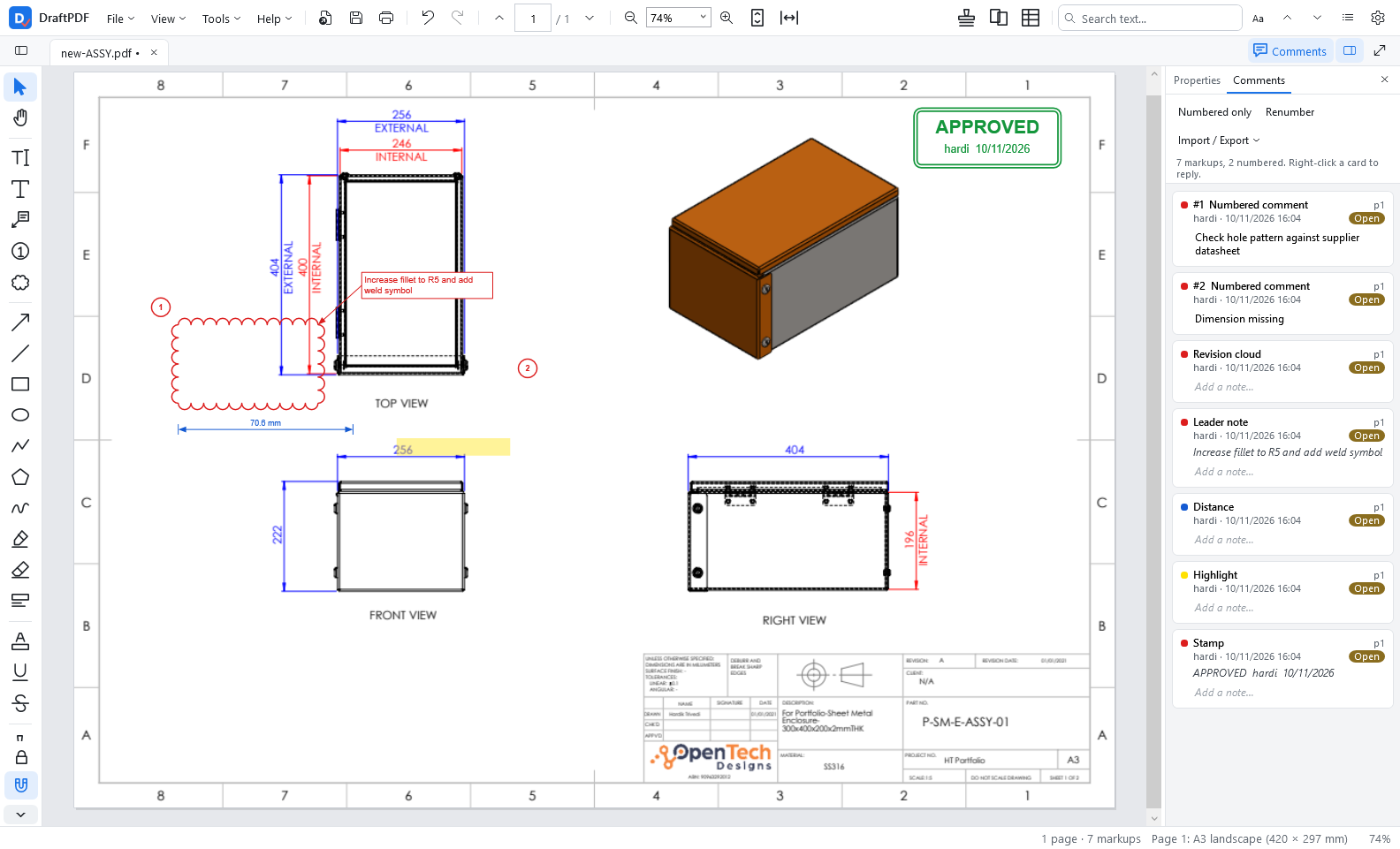
Made for engineering PDFs: title blocks, revisions, sheet sizes and the text CAD packages produce.
Your PDFs stay readable
When a subscription ends, you can still open, view and print your PDFs.
Nothing is lost
Full undo, verified saves and automatic backups of the previous file.
Everything for engineering PDFs
View, organise and mark up drawings, then compare revisions, build a drawing register and stamp whole sets. Every feature is included in the 14-day free trial and the subscription.
Viewer & page tools
Read and organise drawing sets quickly.
Fast, sharp viewer
Tabs, continuous scroll and crisp detail at any zoom. Large drawing sets open in a fraction of a second. Search with highlights, bookmarks, thumbnails and printing that rotates and scales sheets to fit the paper.
Page tools
Insert, merge and combine files, delete, rotate, duplicate and drag pages into order, add blank pages, extract and split. Every change can be undone.
Safe saving
Saves are checked before they replace your file, and the previous version is kept as a backup. Bookmarks and document details are preserved.
Markup
Mark up drawings the way checkers do.
Drawing markup
Text boxes, leaders, arrows, lines, shapes, pen, highlight and white-out. Markups are standard PDF annotations, so they open in other PDF viewers too.
Review and export
Numbered review comments with status, renumbering, and export to Excel, CSV or a PDF with the comment table and marked-up sheets.
Drawing control
The tools that save hours on every drawing issue and review.
Drawing comparison
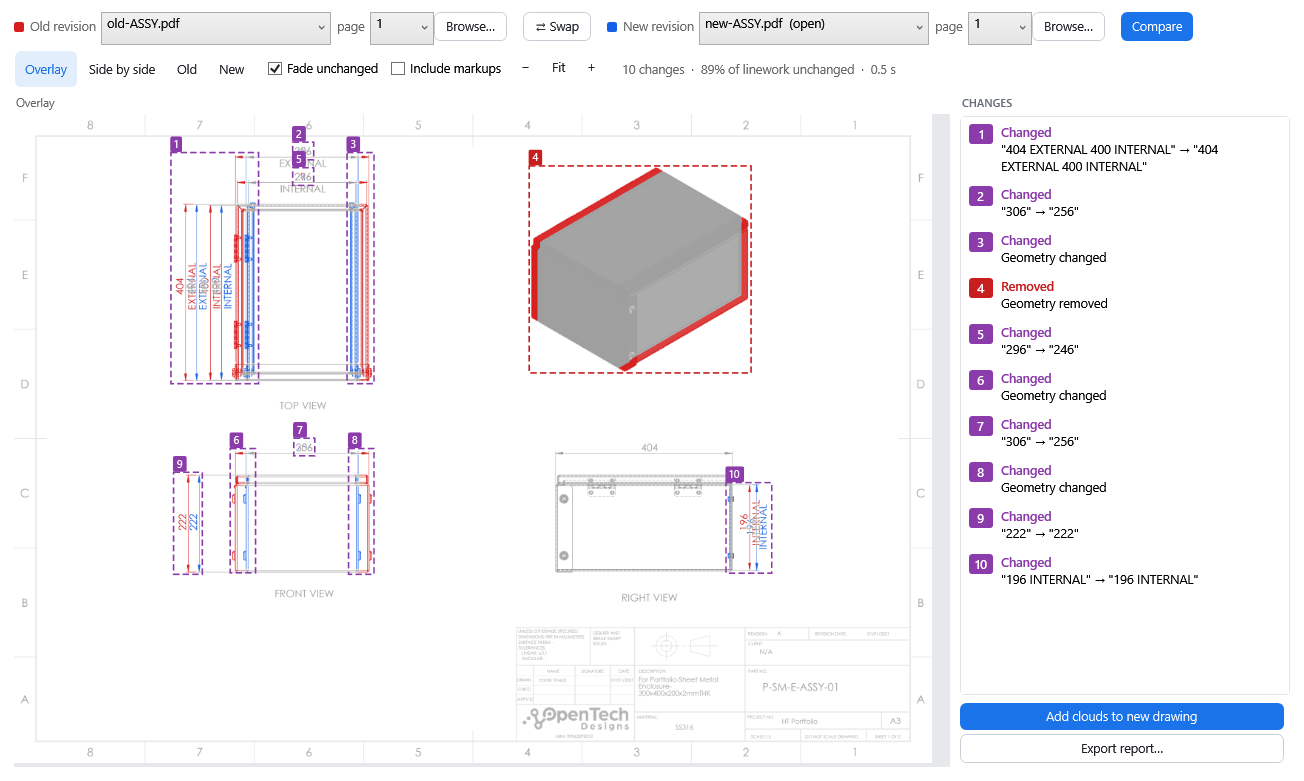
Compare old and new revisions as an overlay or side by side. Changes are numbered in reading order, text edits are shown ("25" → "30"), and re-plotted or resized sheets are lined up automatically.
Revision clouds from changes
Turn the changes found into numbered revision clouds on the new drawing, then export a PDF or CSV change report.
Drawing register
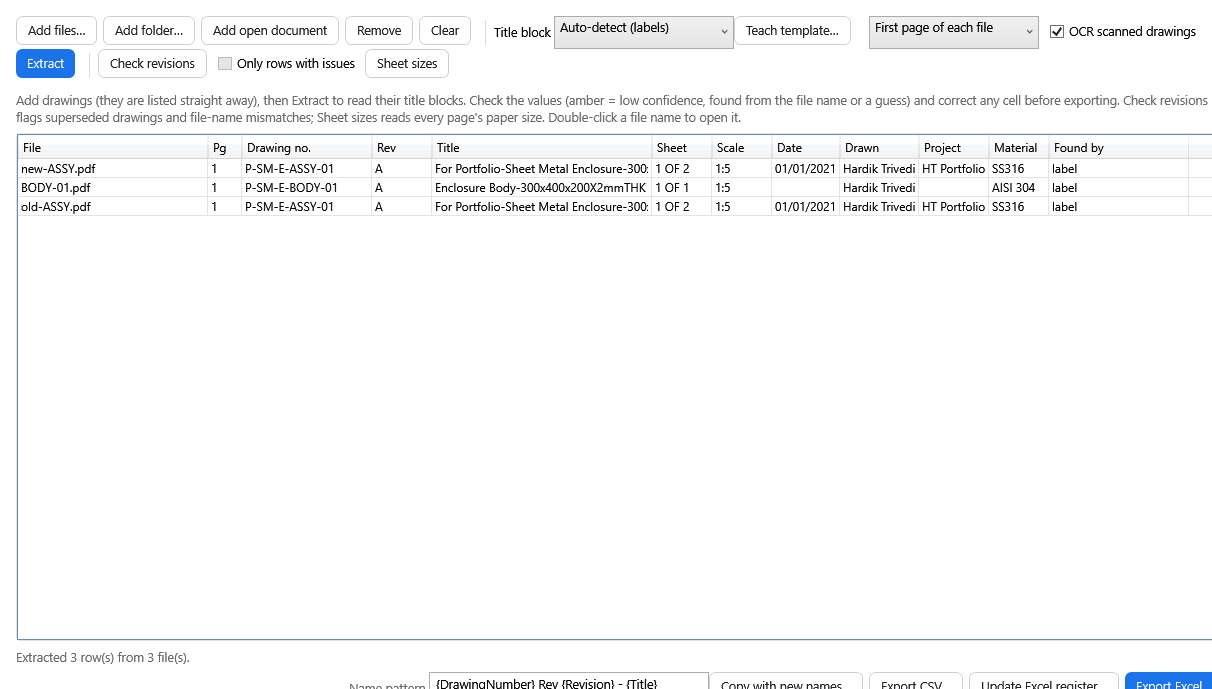
Reads drawing number, revision, title, sheet, scale, date, drawn/checked/approved, project and material from title blocks, with OCR for scans. Export to Excel or CSV, or copy files with names built from the fields.
Bulk stamping
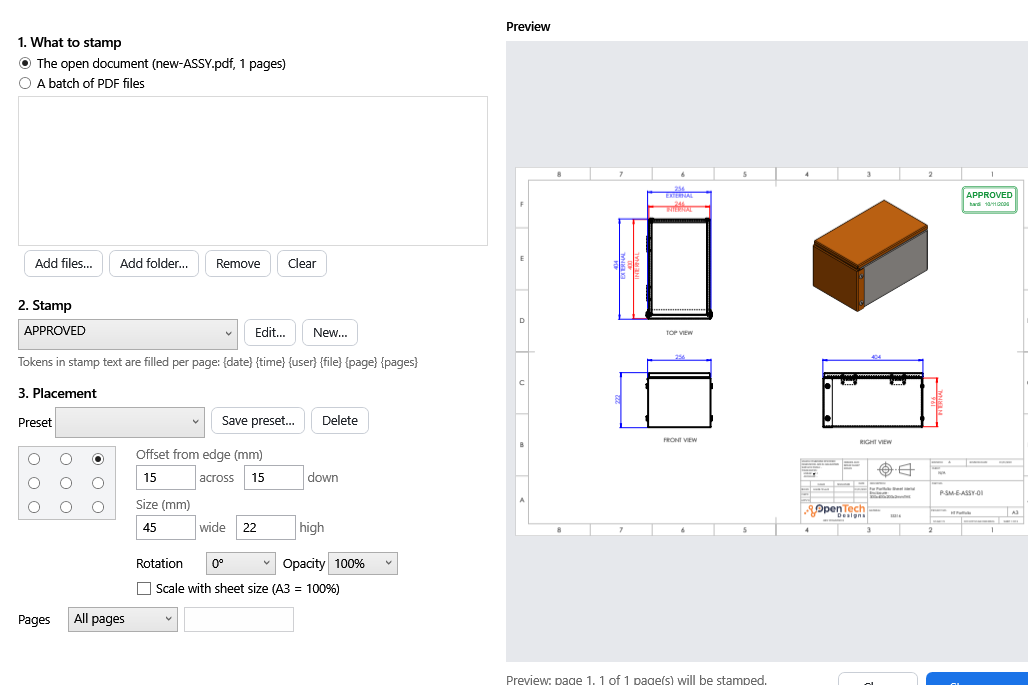
Stamp hundreds of drawings at once: a stamp library with your logo or signature, date, user, file and page tokens, nine-point placement, page filters and saved presets. Keep stamps editable or burn them in.
Who it's for
For anyone who issues, checks or controls engineering drawings.
Platform
Windows only
14-Day Free Trial
Sign in with your OpenTech Designs account to start
Annual subscription
USD 49 for your first year, then USD 79/year per seat.
Get DraftPDF
Coming soon · 14-day free trial · USD 49 for your first year, then USD 79/year per seat.
Prices in USD. GST is added at checkout for Australian customers.
When a subscription ends, you can still open, view and print your PDFs.
Developed by
OpenTech Designs