
 Flagship Product
CAD Explorer Pro
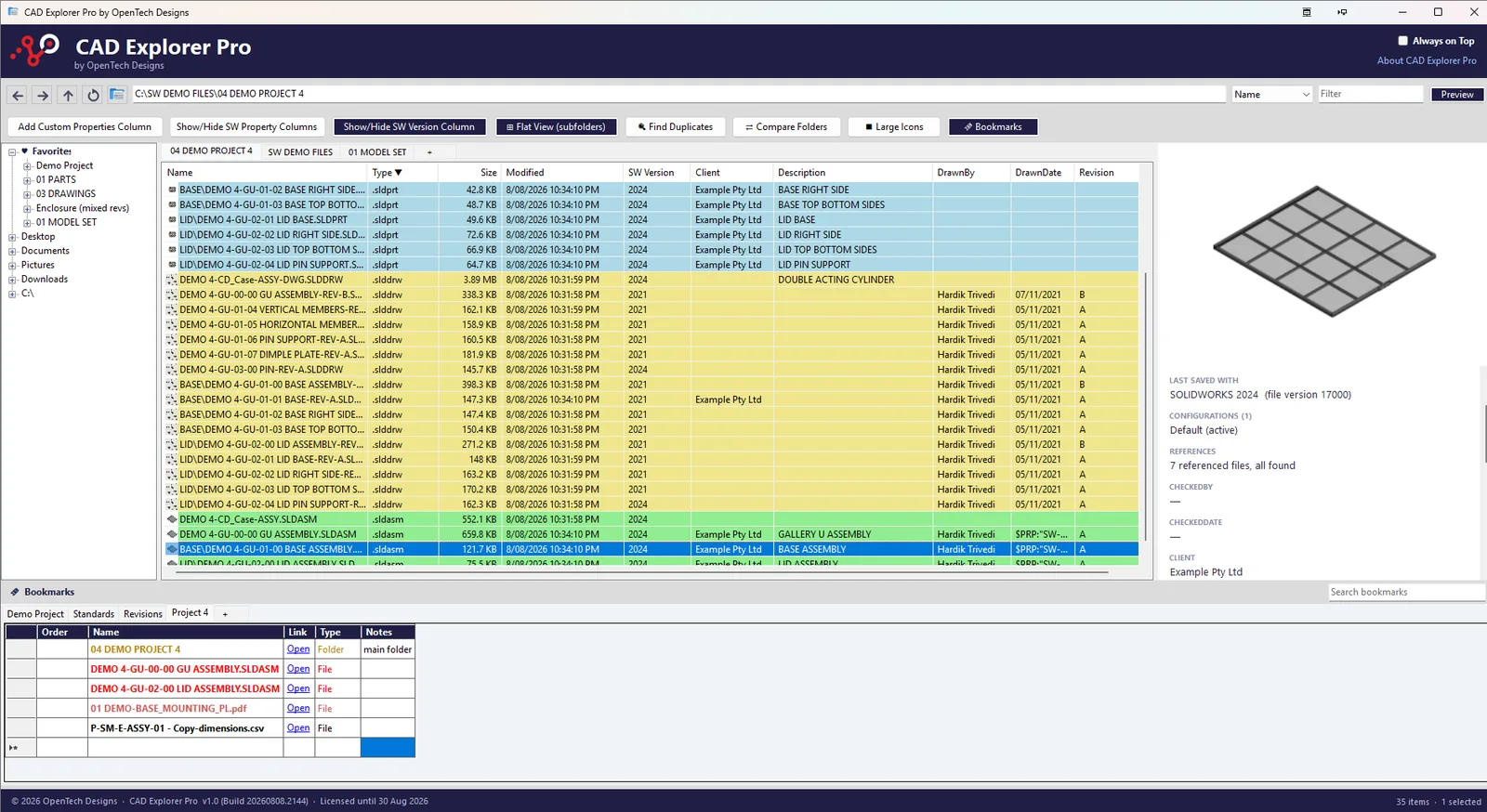
The file explorer built for SOLIDWORKS users. See custom properties, file versions, and colour-coded CAD files — all without opening SOLIDWORKS.
Save Hours Every Week
Stop opening files just to check properties. See everything you need without launching SOLIDWORKS.
Reduce Errors
Colour coding and version info prevent you from accidentally editing files in the wrong SOLIDWORKS version.
Manage Legacy Files
Easily identify old files, check references, and track which version created each file across your entire library.
Everything You Need to Manage CAD Files
Purpose-built for SOLIDWORKS users who need more than a standard file explorer.
Colour-Coded Files
Parts, assemblies, and drawings at a glance.
Inspector Panel
Preview thumbnails and properties without launching SOLIDWORKS.
Custom Property Columns
Revision, description, drawn-by, and more as columns.
SOLIDWORKS Version Column
See which SOLIDWORKS version saved each file.
Powerful Filtering
Filter by name, type, property, or version in seconds.
Reference Checking
Catch broken references before they cause problems.
Always On Top
Keep CAD Explorer Pro floating above your workspace.
Familiar Explorer
No learning curve — just CAD-specific superpowers.
See CAD Explorer Pro in action
Explore the feature snapshots in sequence. Select any image to view the full-size detail.
How It Works
CAD Explorer Pro reads SOLIDWORKS file metadata directly — no SOLIDWORKS installation required on machines used purely for file management.
Browse Your Files
Navigate your project folders with the familiar Windows Explorer tree view. All SOLIDWORKS files are instantly colour-coded by type.
Inspect Properties
Select any file to see its thumbnail preview, custom properties, SOLIDWORKS version, references, and metadata in the Inspector panel.
Add Custom Columns
Pull any custom property into the file list as a sortable, filterable column. Build the view that works for your workflow.