
 Windows Application
Capture. Mark up.
Communicate clearly.
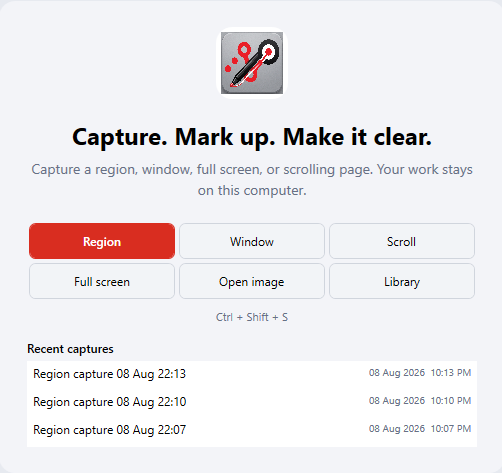
ClearMarkup is a local-first Windows application for capturing screenshots, adding professional annotations, and reviewing engineering drawings — combining everyday image-markup with specialised tools for CAD, SOLIDWORKS, manufacturing and technical-review workflows.
14-day free trial. Prices in USD.
Communicate in Seconds
Capture, annotate and share a clear marked-up image faster than describing the problem in words.
Built for Engineering Review
Revision clouds, balloons, GD&T and weld symbols turn a screenshot tool into a drawing-review tool.
Stays on Your Computer
Captures, projects and preferences are local. Nothing is uploaded to a cloud service.
More than a screenshot annotator
Capture a region, application window, full screen or scrolling page, then communicate ideas clearly using arrows, lines, shapes, text boxes, callouts, numbered steps, pen, highlighter, pixelation and detail views. For engineering and CAD users, ClearMarkup adds calibrated measurements, revision clouds, leaders, balloons, GD&T, weld and surface-finish symbols, and structured review tools — all without the complexity of a full CAD package.
Region, Window, Full-Screen & Scrolling Capture
Capture a rectangular region, a specific application window, the entire screen, or a scrolling page that extends beyond the visible area.
High-Visibility Capture Crosshair
A magnified crosshair with on-screen coordinates lets you pin the exact capture edges with pixel precision.
Arrows, Lines & Shapes
Draw attention with arrows, straight lines, rectangles, ellipses and polygons — all with adjustable colour, thickness and style.
Text Boxes & Callouts
Add editable text boxes and speech-balloon callouts to explain ideas without cluttering the image.
Numbered Steps
Auto-numbered markers walk reviewers through a sequence — ideal for assembly instructions and review feedback.
Pen & Highlighter
Freehand pen and translucent highlighter strokes for natural, responsive annotations.
Pixelation & Image Pasting
Pixelate sensitive areas, and paste additional images directly onto the canvas to compose multi-part markups.
Detail-View Magnifiers
Drop a magnifier lens onto any area of a technical drawing to enlarge fine detail without duplicating the image.
Revision Clouds, Leaders & Balloons
Engineering revision clouds, leader lines and numbered balloons for clear, standard drawing-review markup.
Calibrated Measurements & Dimensions
Calibrate against a known reference, then place retained dimensions, custom dimensions and angular measurements that stay editable.
CAD & Manufacturing Symbols
Radius and diameter callouts, datum symbols, geometric tolerances, weld symbols, surface-finish symbols and centre marks.
Layers, Alignment & Grouping
Organise markups with layers, align and distribute objects, group items and arrange stacking order precisely.
Local Capture Library
A searchable local Library keeps every capture editable. Mark favourites and run batch actions across multiple captures.
PNG, JPEG, TIFF, BMP & PDF Export
Export finished work to the image format you need, or bundle multiple captures into a single PDF.
Clipboard Copying & Windows Printing
Copy any capture straight to the clipboard for instant pasting, or print directly from the application.
Editable Projects with Auto-Save
Every capture is a fully editable project saved automatically to your local machine — re-open and adjust at any time.
Single-Instance with System-Tray Access
Runs as a single instance in the system tray for instant capture access without multiple windows piling up.
Local-first by design
ClearMarkup is designed around local control. Captures, editable projects and preferences remain on the user's computer. Images are not uploaded to a cloud service.
What it does not include
- Screen-video recording
- OCR (text recognition)
- AI processing
- Cloud-based image analysis
Who it's for
Practical engineering-review capabilities for anyone working with technical images.
Platform
Windows only
14-Day Free Trial
Try every feature before you buy
Annual subscription
Per seat, billed yearly
Get ClearMarkup today
Start with a 14-day free trial and buy as many seats as your team needs.
Go to the StoreDeveloped by
OpenTech Designs