
In CAD, design intent defines not just what a model looks like, but how it behaves when changes occur.
Smart modelling ensures your geometry adapts predictably, saving time, reducing rework, and keeping your assemblies stable. It's about designing relationships, not just shapes.
What Is Design Intent?
Design intent is the underlying logic that controls how your model reacts to modification.
For example, if a hole should always remain centred on a plate, you can define that through constraints or reference geometry, so resizing the plate won't require manual adjustment.
In short, it's designing for change.
Why It Matters
Without clear design intent, even minor edits can break your model. Edges shift, constraints fail, and features rebuild unpredictably.
Good design intent means fewer surprises and more confidence when revising your models later, whether you're working solo or in a large engineering team.
Core Principles of Design Intent
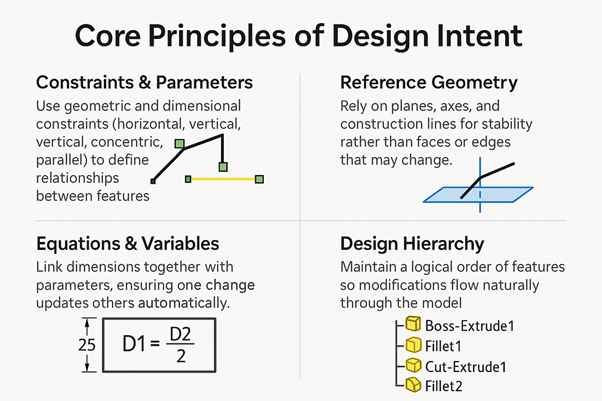
- Constraints & Parameters: Use geometric and dimensional constraints (horizontal, vertical, concentric, parallel) to define relationships between features.
- Reference Geometry: Rely on planes, axes, and construction lines for stability rather than faces or edges that may change.
- Equations & Variables: Link dimensions together with parameters, ensuring one change updates others automatically.
- Design Hierarchy: Maintain a logical order of features so modifications flow naturally through the model.
Smart Modelling Techniques
- Plan before modelling: Visualize how each feature depends on another.
- Use parametric values: Replace fixed dimensions with meaningful variables like Plate_Width or Bolt_Distance.
- Test for flexibility: Intentionally modify key dimensions to see if the model rebuilds properly.
- Group related features: Keep features organized and named clearly for future edits.
Common Mistakes to Avoid
- Over-constraining sketches: locking geometry that should stay adjustable.
- Referencing unstable geometry like fillet edges or imported faces.
- Ignoring the order of operations: a misplaced feature can break downstream elements.
- Building without a plan: adding features reactively rather than intentionally.
Pro Tips for Long-Term Efficiency
- Build modular designs that can be reused across projects.
- Use templates and standard parameters for consistency.
- Keep naming conventions clear and descriptive.
- Regularly review models to simplify and remove unnecessary dependencies.
Conclusion
Design intent is the foundation of smart modelling. When you build CAD models that understand why they were designed a certain way, they become adaptable, maintainable, and ready for automation.
Great CAD design isn't about geometry, it's about intelligence.